

SketchUp Pro vs. SketchUp Go: Which One Is Right for You?
When choosing the right 3D modeling tool, it’s important to consider how and where you work. Both SketchUp Pro and SketchUp Go are powerful solutions under the SketchUp product family, but they serve different needs and workflows. Here’s a breakdown to help you make the best decision.
SketchUp Go is designed for creatives and professionals who need the freedom to design on the move. This lightweight, cloud-based version of SketchUp runs directly in your web browser or iPad, eliminating the need for powerful desktop hardware or complex installations. Whether you’re working from a job site, traveling, or meeting with a client, SketchUp Go offers the flexibility and mobility to bring your ideas to life from anywhere.
Ideal for architects, interior designers, freelancers, students, and creatives who prefer a mobile-first workflow, SketchUp Go makes conceptual modeling and quick presentations seamless and intuitive. It supports Apple Pencil on iPad for natural sketching and precise modeling, and includes Augmented Reality (AR) features that allow you to view your 3D models in real-world environments directly from your device.
SketchUp Go also integrates with Trimble Connect, making cloud collaboration and project storage simple and secure. Users have full access to the 3D Warehouse, enabling them to pull in thousands of pre-made components to speed up their workflow. With no desktop installation required, SketchUp Go delivers a professional-grade modeling experience—without the limits of a desk or studio.
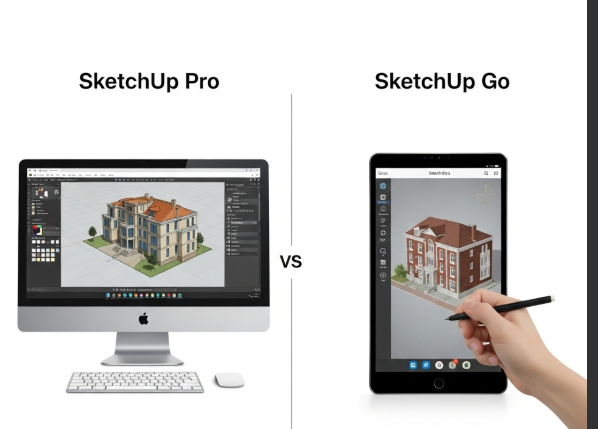
SketchUp Pro is the complete, full-featured desktop solution built for professionals who require advanced tools, precision, and performance in their 3D modeling workflows. Designed for architects, engineers, and designers handling complex projects, SketchUp Pro goes beyond conceptual modeling to support full project development—including detailed documentation, presentation, and exporting.
Available for both Windows and macOS, SketchUp Pro includes powerful tools like LayOut, which enables the creation of 2D drawings and construction documents directly linked to your 3D model. It also features Style Builder, allowing users to create custom sketch styles that match their design aesthetic. One of the key advantages of SketchUp Pro is its support for third-party extensions and plugins, such as V-Ray, Enscape, and hundreds more, giving professionals the flexibility to tailor the software to their exact workflow needs.
With enhanced modeling capabilities, offline access, and compatibility with high-performance hardware, SketchUp Pro is built for those who demand control, detail, and scalability in their work. Whether you’re producing architectural plans, visualizations, or detailed construction documents, SketchUp Pro offers the power and depth to bring your ideas to life—from concept to completion.
| Feature | SketchUp Go | SketchUp Pro |
|---|---|---|
| Platform | Web browser + iPad | Desktop (Windows & macOS) |
| Mobility | High (use anywhere, anytime) | Limited to desktop |
| Apple Pencil Support | Yes (on iPad) | No |
| Augmented Reality (AR) | Yes (on iPad) | No |
| 2D Documentation (LayOut) | No | Yes |
| Extension/Plugin Support | No | Yes (V-Ray, Enscape, etc.) |
| Access to 3D Warehouse | Yes | Yes |
| Cloud Storage (Trimble Connect) | Yes | Yes |
| Offline Access | Limited (iPad app only) | Full offline access |
| Best For | On-the-go creatives, students | Advanced professionals, full project work |
Which Should You Choose?
If you’re always on the go, need a streamlined tool for quick design work, and prefer working from mobile devices or browsers, SketchUp Go is perfect for you.
If you require advanced modeling tools, documentation features, plugin support, and full desktop control, SketchUp Pro is your go-to solution.
At OAS Technologies, we are authorized resellers of both SketchUp Go and SketchUp Pro. We also offer expert consultancy to help you choose and implement the right solution for your workflow.
Contact us now to get started on your SketchUp journey !!!!