
Enscape: Real-Time Rendering and Virtual Reality Made Simple
Enscape by Chaos gives you an opportunity to immediately experience a design while working on it by just clicking a button. No waiting. No complex setup. Just real-time visuals.
It is a virtual reality (VR) software that allows architects, designers, and 3D artists to visually and experientially understand the concepts right away.
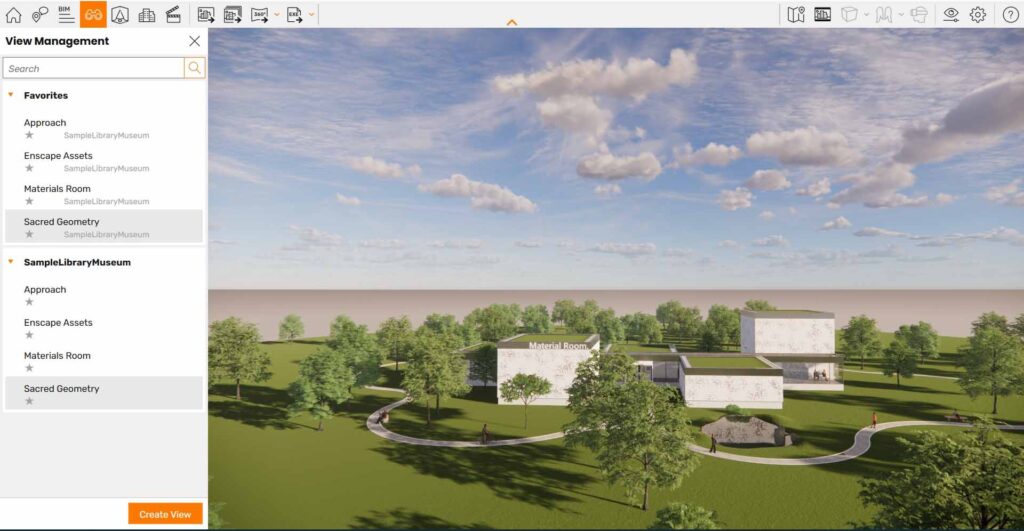
How does Enscape work, and why is it becoming a favorite for fast, immersive design visualization?
Real-time Rendering Engine
Enscape is an engine that renders in real-time and also has an integrated virtual reality feature. That might sound technical, but simply put, if you create a design in a 3D application, Enscape immediately converts it into a lifelike, engaging scene.
In contrast to the classic rendering tools (where you have to wait several minutes or even hours), Enscape demonstrates the outcomes right away.
How Does It Work?
You can consider Enscape as a real-time window that displays your design.
You create your model in software like
- SketchUp
- Revit
- Rhino
- Archicad
And the best part? Any change you make updates in real time.
Move a wall → it updates instantly
Change lighting → you see it immediately
Swap materials → no waiting required
What Makes Enscape Different?
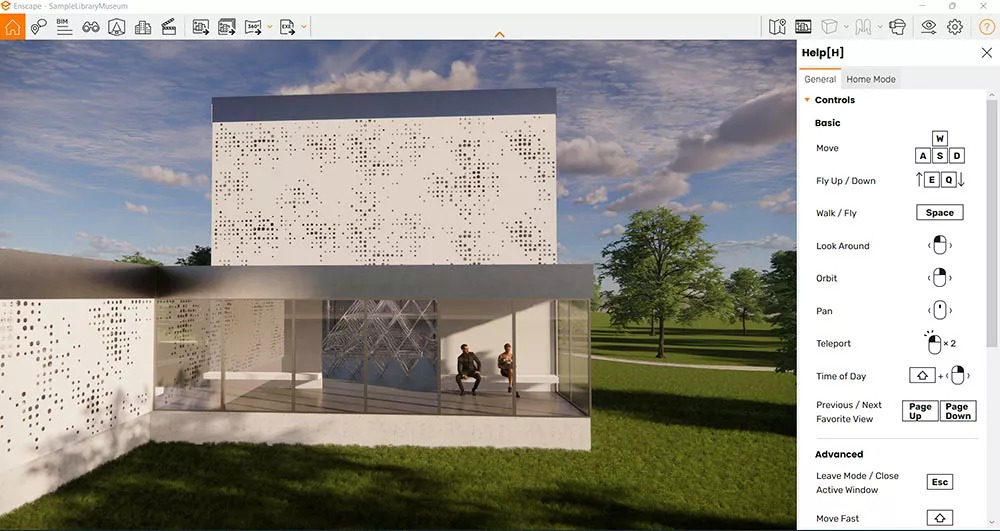
Enscape stands out because it focuses on speed, simplicity, and immersion.
Let’s break that down.
1. Real-Time Rendering (Instant Results)
Typically, the mainstream rendering tools, such as V-Ray and Corona Renderer, target the production of ultra-realistic images. However, they usually need a fairly long processing time because they are high-end renderers. Even though it might not be able to attain the top realism of offline renderers, it’s extremely fast—and generally “realistic enough” for the majority of workflows.
2. Walk Through Your Design Like a Game
One of the coolest features about Enscape is that it gives you the freedom to move around your design almost like in reality.
You can walk through a building, explore interiors, fly around exteriors, and experience scale and space.
It actually resembles playing a 3D game more than traditional software. Besides, it helps discover potential issues with the design that might be invisible in still images.
3. Virtual Reality (VR) Integration
One area where Enscape excels is VR integration. If you put on a VR headset, you can virtually enter into your design and feel as though you are already living in it.
For instance, seeing yourself standing in the living room of your design, measuring the ceiling height in real scale, or even taking a walk through the building that is yet to be constructed. For your clients, this is amazing. It’s not just that they see the design; they are immersed in it.
4. Easy to Use (Even for Beginners)
Enscape was built with simplicity in mind. No prior experience in rendering or lighting is needed. Technical expertise isn’t required to get started.
Users often produce strong visuals in just a few hours. That’s probably why so many architects and design professionals prefer it. They value speed and want outcomes without long training periods.
5. Built-In Assets and Environment Tools
Enscape comes with a library of ready-to-use elements like furniture, people, and plants, as well as lighting presets.
You can quickly fill your scene with items and make it feel alive without building everything from scratch.
It also includes features like
- time-of-day control (sunrise to sunset)
- weather effects (rain, clouds)
- sky and environment settings
These help create mood and realism instantly.
Where Enscape Is Used
Enscape is widely used in industries where speed and communication matter.
Architecture and Building Design
Architects use Enscape to:
- review designs in real time
- present ideas to clients
- explore spatial layouts
Instead of showing static images, they can walk clients through the project live.
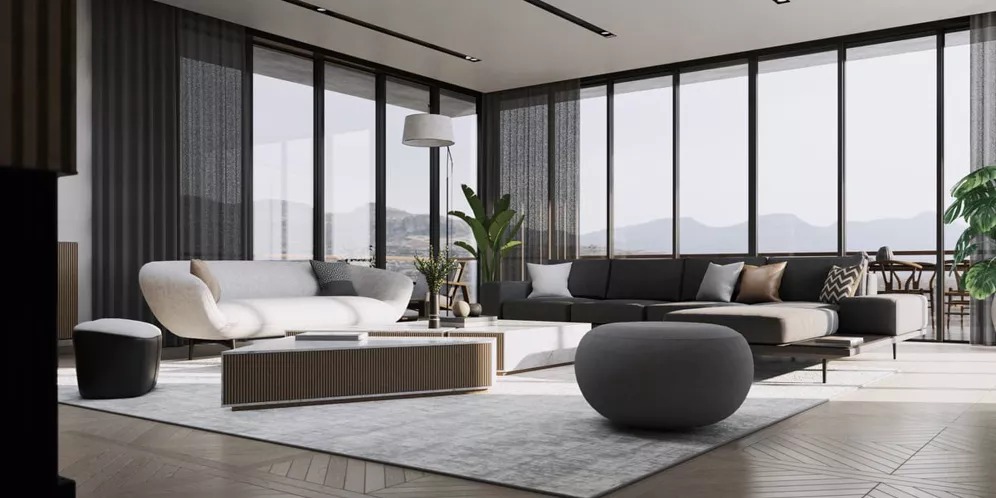
Interior Design
Interior designers use Enscape to test and present ideas like:
- furniture placement
- lighting setups
- materials and finishes
Clients can see exactly how a space will feel before anything is built.
Construction and Planning
Enscape helps teams:
- identify design issues early
- visualize construction plans
- improve collaboration
Seeing a design in 3D makes it easier to catch mistakes before they become expensive problems.
Client Presentations
One of Enscape’s biggest advantages is communication.
Instead of explaining a design, you can:
- walk a client through it
- send interactive experiences
- even share VR sessions
This builds confidence and helps clients make faster decisions.
Is Enscape Beginner Friendly?
Absolutely.
Enscape is one of the easiest rendering tools to learn because:
- it works directly inside your design software
- there are fewer technical settings
- results are immediate
This makes it perfect for:
- beginners learning 3D visualization
- professionals who want faster workflows
- teams that need quick collaboration tools
Enscape is essentially a tool for instant visualization of your ideas.
Instead of waiting for a render, you can see your design immediately, walk through it, and experience it virtually.
In a world where speed and clarity matter more than ever, Enscape is the tool that helps bridge the gap between concept and experience.
Simply put, Enscape takes you inside your design even when you are still working on it, and that is what makes it so impactful.