

V-Ray Rendering for Beginners — Understanding the Foundation (Module 1)
For designers, architects, 3D artists, and visualization professionals, one tool continues to stand out in the world of high-quality rendering — V-Ray. Known for its realism, flexibility, and production-level capabilities, V-Ray has become the industry standard for transforming ordinary 3D models into lifelike, emotionally compelling visuals.
If you’re just stepping into rendering, this first module is designed to build your foundation. No advanced knowledge is required — only curiosity, patience, and a willingness to explore the tools that shape modern CGI.
A Kitchen outlet Rendered via the use of V-Ray

What Exactly is V-Ray?
V-Ray is a rendering engine developed by Chaos Group, built to simulate real-world lighting, materials, and shadows with exceptional accuracy. It is widely used across industries such as:
- Architecture & interior visualization
- Film, animation, and VFX
- Product design & advertising
- Game development
- Engineering visualization
Whether you’re building a luxury living room interior, a concept car model, or a cinematic CG environment, V-Ray bridges the gap between digital imagination and believable visual reality.
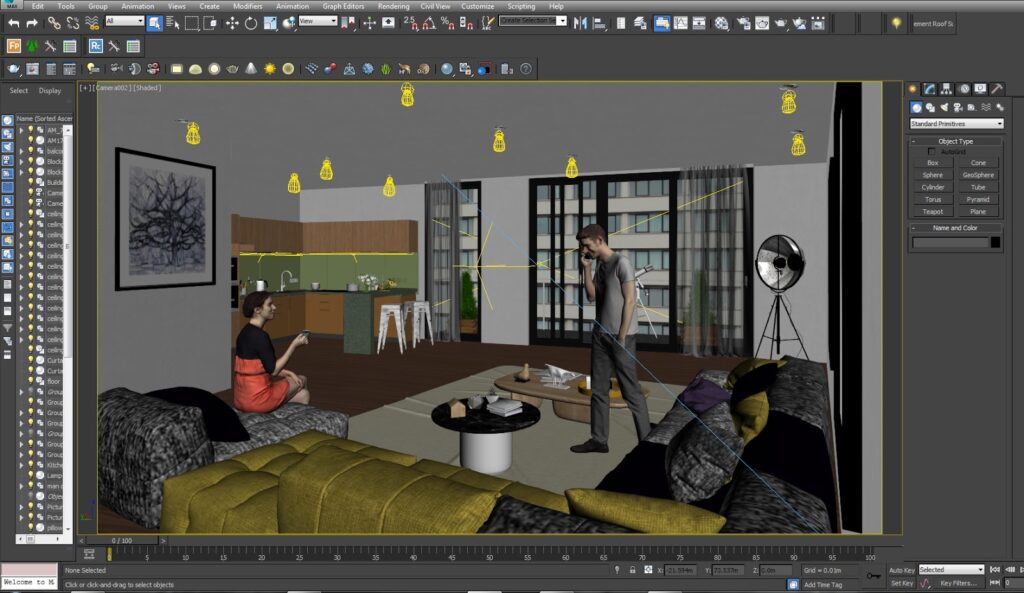
Image of 3d Animation rendering using V-Ray
Why V-Ray is Worth Learning
The power of V-Ray lies in both quality and control. You can achieve highly photorealistic results, dial in mood and atmosphere, and manage every tiny detail — from the sharpness of a reflection to how sunlight diffuses across a wall.
Some standout advantages include:
- Photorealistic output that looks like real photography
- Hybrid rendering (CPU + GPU acceleration) for speed and flexibility
- Hundreds of ready-made materials and light presets
- Real-time previews that help you adjust scenes instantly
- Cross-platform integration with SketchUp, Revit, 3ds Max, Blender, and more
Learning V-Ray isn’t just a software skill — it’s an industry advantage. Many visualization studios list it as a requirement, not an optional bonus.
Getting Started — Installation & Setup
To begin working with V-Ray, all you need is your preferred 3D software and a system with reasonable performance. Installation is straightforward:
- Download V-Ray from the official Chaos website
- Install and sign in with a Chaos account
- Activate your license (trial or subscription)
- Launch your 3D software and look for the V-Ray toolbar
Once activated, the interface becomes your creative dashboard.
Understanding the Interface
V-Ray is built around a few core panels you will use constantly:
| Tool | Purpose |
|---|---|
| Asset Editor | Materials, lighting, render settings |
| V-Ray Frame Buffer (VFB) | Where your render appears |
| Render Button | Starts and stops the rendering process |
| Preset Libraries | Ready materials, lights, environments |
These components form the center of every V-Ray workflow.
Your First Render — A Simple Exercise
One of the best ways to learn V-Ray is to experiment immediately. Here’s a quick activity you can try:
- Open a 3D scene or create a basic room layout
- Position a camera view
- Add V-Ray Sunlight
- Hit Render
- Observe how light shapes your model
The first render won’t be perfect — and it’s not supposed to be. What matters is understanding how light affects depth, tone, and realism.
Beginner Assignment: Practice for Growth
To cement what you’ve learned, try this exercise:
Create a scene with a table and a chair, apply simple lighting, set your camera view, and render with default settings.
This small practice will help you understand light falloff, shadows, exposure, and frame composition — the foundation of all great visualization work.
Final Thoughts — The Beginning of Your Rendering Journey
Mastering V-Ray is a journey, not a sprint. The more you test, tweak, and observe, the faster your renders will evolve from basic to breathtaking. With Module 1 completed, you now have the core understanding needed to move into deeper territory — materials, textures, HDRI lighting, and photorealistic shader design.